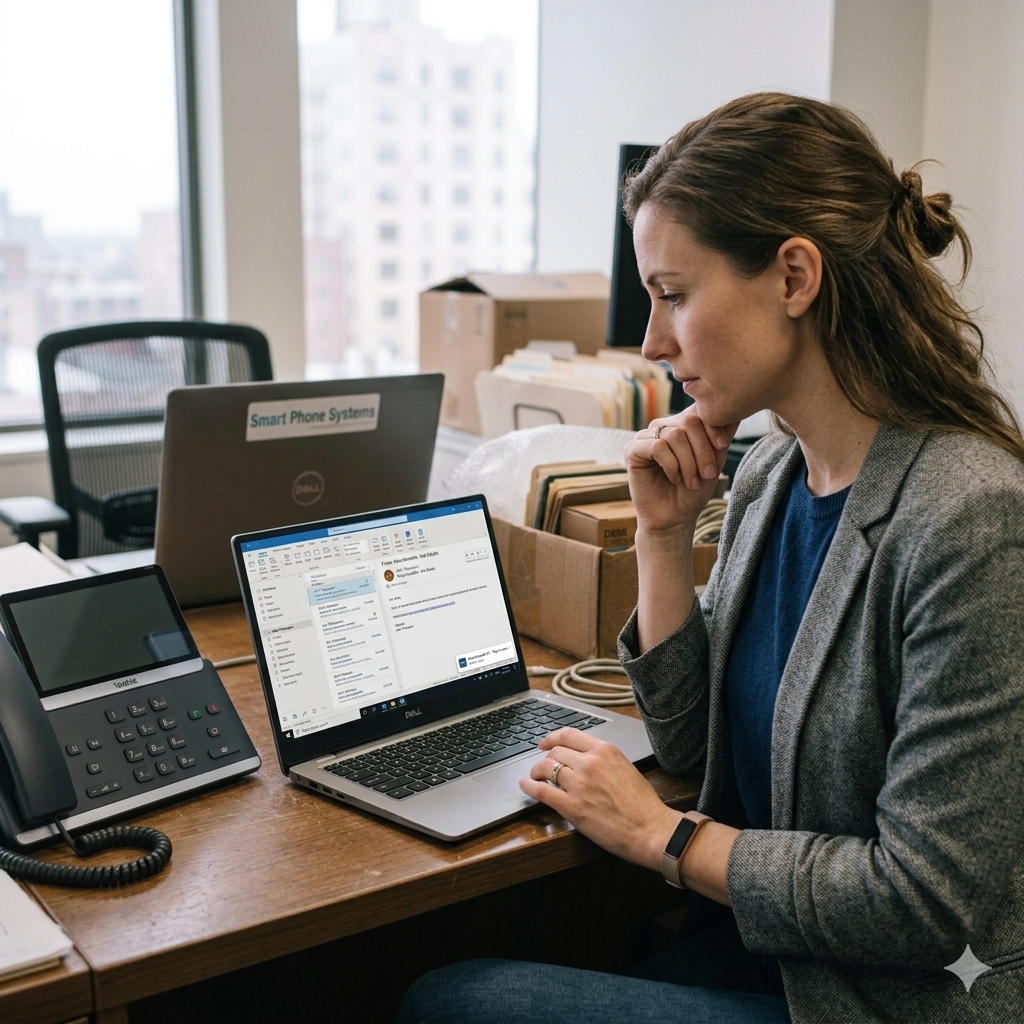
The desk phone vs softphone vs mobile app decision is one of the most practical choices when setting up a modern business phone system. Many businesses no longer need a desk phone on every desk. Instead, a hosted phone system can let your team make and receive business calls from desk phones, computers and mobile apps.
The right setup depends on each person’s role, how often they take calls, where they work and how quickly they need to transfer calls to others. In other words, the best option is not always the same for every staff member.
For many Australian small businesses, the desk phone vs softphone vs mobile app choice is not about picking one option for everyone. Instead, it is usually about choosing the right mix of desk phones, softphones and mobile apps, configured around the way your team actually works.
At Smart Phone Systems, we set up hosted phone systems for Australian businesses that need flexible calling across office, mobile and remote teams. In this guide, we explain when to use desk phones, when to use softphones, when mobile apps make sense and how to choose the right combination for your business.
Quick Answer: Desk Phone vs Softphone vs Mobile App
When comparing desk phone vs softphone vs mobile app, most businesses should use a mix of all three. Desk phones usually suit reception, admin and high-volume call users. Meanwhile, softphones are ideal for staff who work from a computer. Mobile apps are often best for business owners, managers, remote workers and staff who move between locations.
Because a hosted phone system can support all three options, each user can have the device setup that suits their role.
What Is a Desk Phone in a Business Phone Setup?
A desk phone is a physical handset that sits on a desk or counter. It is usually used by staff who answer calls regularly or need quick access to transfer buttons, speakerphone, hold, mute and call handling features.
Even so, desk phones are still useful for many businesses, especially where calls need to be answered quickly and professionally.
Desk phones are a good fit for:
reception desks
administration teams
customer service staff
medical or professional front desks
busy sales desks
warehouses or shared office areas
meeting rooms
staff who prefer a physical phone
A desk phone also suits users who need a reliable, dedicated calling device kept separate from their computer or mobile.
Desk phones are commonly preferred by medical clinics and legal practices where a professional front-of-house setup matters and staff are based at a fixed location.
If you are comparing device costs, you can review the handset and extension options on our business phone system pricing page.
What Is a Softphone for Business?
A softphone is software that lets a user make and receive business calls from a computer. Instead of picking up a physical handset, the user answers calls through an app or web client using a headset, microphone and speakers.
As a result, softphones are useful for staff who already work at a laptop or desktop computer throughout the day.
With a softphone, users can still access business phone features such as:
inbound and outbound calls
business caller ID
extensions
internal transfers
call history
voicemail
contacts
team availability
speed dials or BLF keys
headset calling
For a deeper explanation, read our guide: Softphone for PC: Make Business Calls From Your Computer.
What Is a Mobile App for Business Calls?
A mobile app allows staff to make and receive business calls from their mobile phone while still connecting to the business phone system.
This differs from giving customers a personal mobile number. With the right setup, staff answer business calls through the app, make outbound calls using the business identity and stay connected to the same phone system as the office team.
Because of that flexibility, a mobile app is useful when staff are not always at a desk.
Mobile apps are often loved by trade businesses and construction companies where staff are on the road or on site for most of the day.
Mobile apps are a good fit for:
business owners
managers
sales staff
remote workers
field staff
trades businesses
on-call team members;
staff who move between sites
businesses with flexible or hybrid teams
Smart Phone Systems’ hosted phone systems support mobile, desk and browser extensions, helping teams answer calls professionally from different locations and devices.
Desk Phone vs Softphone: When Should You Use a Desk Phone?
| Option | Best for | Main benefit | Watch-out |
|---|---|---|---|
| Desk phone | Reception, admin, shared areas, high-volume call users | Dedicated calling device with quick physical controls | Adds hardware cost and takes desk space |
| Softphone | Office staff, remote workers, computer-based users | Make and receive calls from a laptop or desktop | Works best with a good headset and stable internet |
| Mobile app | Owners, managers, sales, field staff, on-call users | Business calls from anywhere | Users need clear boundaries for availability and after-hours calls |
| Mixed setup | Most small businesses | Each role gets the right device setup | Needs proper setup and call flow planning |
For many businesses, the mixed setup is the most practical option. For example, reception may use a desk phone, office staff may use softphones and managers may use the mobile app.
If you are still deciding on the overall phone system, start with our guide on how to choose a business phone system for a small business in Australia.
When Should You Use a Desk Phone?
In many cases, a desk phone is still the best choice when calls need to be answered quickly, transferred often or handled by someone who is responsible for front-line communication.
Reception teams often benefit from a desk phone
Reception users often need fast access to hold, transfer, speakerphone and extension buttons. A physical phone can make this easier, especially during busy periods.
Shared areas may need a dedicated handset
If calls need to be answered from a counter, warehouse, clinic room, meeting room or shared office area, a desk phone can be more practical than relying on one person’s computer or mobile.
High-volume call users may prefer physical controls
Some users spend much of their day on the phone. A desk phone with a headset may be more comfortable and reliable for these roles.
Some users simply prefer a physical phone
Not every staff member wants to answer calls from a computer. For some users, a physical phone is simply easier and faster.
Before ordering handsets for every user, check the available options on our phone system prices page.
Desk Phone vs Softphone: When Should You Use a Softphone?
By contrast, a softphone is often the best choice for staff who already spend most of their working day on a computer.
Admin and office staff can keep calls on the computer
Admin staff often need to talk while checking customer records, booking systems, emails or documents. A softphone with a headset keeps everything on the computer and can make call handling more efficient.
Remote and hybrid workers can stay connected
A staff member working from home can still answer business calls through the hosted phone system. As a result, customers always reach the business number rather than a personal mobile.
A softphone can reduce handset costs
Not every extension needs a desk phone. If a user is comfortable working from a computer, a softphone can reduce hardware requirements.
Flexible teams often need fewer physical handsets
Softphones are useful when staff move between locations, use laptops or do not have a fixed desk.
If you are considering computer-based calling, our article on using softphones from a computer explains how softphones work with hosted phone systems.
Softphone vs Mobile App: When Should You Use a Mobile App?
Meanwhile, a mobile app is ideal when staff need to stay connected away from their desk.
Business owners can stay reachable without sharing a personal number
Business owners often need to stay reachable when moving between the office, home, client sites and meetings. A mobile app allows them to handle business calls without publishing a personal number.
Sales and field teams can keep calls inside the phone system
Sales staff, account managers and field workers may need to make and receive calls while travelling. A mobile app keeps those calls inside the business phone system.
After-hours or on-call users can receive routed calls
If your business offers after-hours support, urgent call routing or emergency contact options, a mobile app can help direct calls to the right person without relying on manual call forwarding.
For more on this, read our article: How to Manage Phones for After Hours.
Multi-location teams can stay connected
If staff work across multiple sites, a mobile app can help them stay connected to the same phone system no matter where they are.
Desk Phone vs Softphone vs Mobile App by Team Role
Importantly, the best business phone setup usually depends on the job, not the person’s seniority.
Reception
Recommended setup: Desk phone, headset and optional softphone access.
Reception usually needs fast call answering, easy transfers and visibility of who is available. For that reason, a desk phone is often the best primary device.
Administration
Recommended setup: Softphone or desk phone, depending on call volume.
Admin users who work mostly from a computer may prefer a softphone. However, high-volume admin users may still prefer a desk phone.
Business owner
Recommended setup: Mobile app plus softphone or desk phone.
Owners often need flexibility. Therefore, a mobile app can help them stay connected while away from the office, while a softphone or desk phone can support office-based calling.
Sales team
Recommended setup: Softphone and mobile app.
Sales staff often need to call from a computer during the day and stay reachable while away from the office.
Remote worker
Recommended setup: Softphone and mobile app.
Remote workers usually need access from a laptop and mobile phone. This keeps business calls separate from personal calls.
Field staff
Recommended setup: Mobile app.
Field staff usually need simple access to business calls while away from a desk.
Meeting room
Recommended setup: Conference phone or dedicated desk phone.
Meeting rooms often need a shared calling device that is always available and not linked to one person’s mobile or computer.
You can see current handset and softphone options on our business phone system pricing page.
Can One Extension Ring on Multiple Devices?
Yes. In a modern hosted phone system, one extension can often be used across more than one device.
For example, a user may have:
a desk phone at work
a softphone on their computer
a mobile app on their phone
Depending on the setup, incoming calls ring across multiple devices, or the user picks which device to answer from.
Smart Phone Systems can help configure this as part of your hosted phone system setup.
Desk Phone vs Softphone vs Mobile App: Do You Need a Desk Phone for Every Extension?
No. In many desk phone vs softphone vs mobile app comparisons, the best result is a mix rather than a physical handset for every user.
For example, some users may only need the mobile app. Others may only need a softphone. In some cases, a user may need both a desk phone and mobile app.
This matters because buying desk phones for every user can increase the upfront cost of a phone system. If some staff can work effectively from a softphone or mobile app, you may be able to keep the system flexible and reduce unnecessary hardware.
On our Prices page, we explain extension pricing and handset options so you can choose the right setup for each user.
How This Helps With Missed Calls and Customer Service
The device setup is only one part of the phone system. However, the call flow is just as important.
A good hosted phone system makes sure calls reach the right person, even when someone is away from their desk. For example:
- reception answers on a desk phone
- admin answers from a softphone
- managers answer from their mobile app
- after-hours calls route to an on-call user
- the system sends missed voicemails to email
- staff transfer calls between users and locations
As a result, a hosted business phone system becomes more powerful than a collection of separate mobiles.
Smart Phone Systems provides features such as call routing, IVR, voicemail to email, mobile app access, softphones, reports and after-hours routing. You can see an overview on our hosted phone systems page.
Common Mistakes When Choosing Phones for a Business Phone System
Mistake 1: Buying a desk phone for everyone
Some staff need desk phones. Others do not. Therefore, buying hardware for every user can add cost without improving call handling.
Mistake 2: Using personal mobiles for business calls
Personal mobiles can work in the short term. However, they often create problems as the business grows. Calls become harder to track, staff may expose personal numbers and customers may not get a consistent experience.
Mistake 3: Ignoring reception and transfer workflows
A phone system should be designed around how calls move through the business. If reception, admin, sales and managers all need different call handling rules, the setup should reflect that.
Mistake 4: Not planning after-hours calls
After-hours routing matters for many businesses. If calls come in when the office is closed, customers should hear a professional message or be routed to the right on-call person.
For practical advice, see our guide on managing phones for after-hours calls.
Mistake 5: Choosing devices before designing the call flow
It is better to design the call flow first, then choose devices for each role. That way, the system supports the way your team actually works.
Our setup process starts with discovery and call flow design before system setup and number porting. You can read more here: How We Set Up Your Hosted Phone System.
Best Setup Examples for Small Businesses
Small office with reception and five staff
A practical setup could be:
reception desk phone
admin softphones
owner mobile app
voicemail to email
after-hours message
ring group for overflow calls
If you are still planning the broader system, our guide to choosing a business phone system for a small business in Australia is a useful starting point.
Trade business with office admin and field workers
A practical setup could be:
office desk phone or softphone
mobile apps for field staff
after-hours routing for urgent calls
voicemail to email
call forwarding rules for busy periods
Medical or professional clinic
A practical setup could be:
reception desk phones
admin softphones
IVR menu for common enquiry types
voicemail to email
holiday and after-hours messages
reporting for missed calls.
Multi-location business
A practical setup could be:
desk phones at each site
mobile apps for managers
internal extensions across locations
call transfer between sites;
shared reporting
centralised call routing
Desk Phone vs Softphone vs Mobile App Checklist
Use this desk phone vs softphone vs mobile app checklist when planning your business phone setup.
Desk phones are a great solution if the user:
answers calls all day
works at reception
needs quick transfer buttons
works in a shared office area
prefers a physical phone
needs a reliable dedicated calling device
Choose a softphone if the user:
works mostly from a computer
uses a headset
works remotely or hybrid
needs to transfer calls from their desktop
wants fewer devices on the desk
does not need a physical handset
Mobile apps are great if the user:
works away from the office
travels between locations
is a business owner or manager
handles urgent or after-hours calls
needs business calling without exposing a personal number
needs flexibility more than a fixed desk device
Mixed setups work well when the user:
works from both office and home
uses a desk phone at work but needs mobile access
manages staff across locations
needs to stay reachable during the day
has different call handling needs at different times
If you would like help planning the right mix, you can contact Smart Phone Systems to discuss your team structure and call flow.
Frequently Asked Questions
Is a softphone better than a desk phone?
A softphone is better for users who work mainly from a computer, want fewer physical devices or need remote working flexibility. A desk phone is better for reception, shared areas and high-volume call users who prefer a dedicated phone.
Can I use a mobile app instead of a desk phone?
Yes. Many users can use a mobile app instead of a desk phone. This is useful for owners, managers, sales staff, field workers and remote users. Some businesses still use desk phones for reception and mobile apps for other staff.
Do I need a desk phone for every staff member?
No. A hosted phone system can usually support a mix of desk phones, softphones and mobile apps. This means you can choose the right device setup for each role rather than buying a physical handset for every extension.
Can a business phone number ring on a mobile phone?
Yes. With the right hosted phone system, business calls can ring on a mobile app while still using the business phone system. This allows staff to answer business calls without giving out personal mobile numbers.
What is the best phone setup for reception?
Reception usually works best with a desk phone and headset. Staff at the front desk need fast access to hold, transfer, speakerphone and extension buttons. Therefore, a physical phone makes this easier — especially during busy periods.
What is the best phone setup for remote workers?
Remote workers usually benefit from a softphone on their computer and a mobile app on their phone. This allows them to answer business calls from home or another location while staying connected to the main phone system.
Can one user have a desk phone, softphone and mobile app?
Yes. A user can often have access across multiple devices, depending on how the hosted phone system is configured. This is useful for managers, business owners and hybrid workers.
What is the cheapest option: desk phone, softphone or mobile app?
A softphone or mobile app usually requires less hardware than a desk phone. However, the best option depends on how the user works. The cheapest setup is not always the best if it makes calls harder to answer or transfer.
Need Help Choosing Between Desk Phone vs Softphone vs Mobile App?
The best desk phone vs softphone vs mobile app setup is not about choosing one device for everyone. Instead, it is about matching the right device to each role, then designing the call flow so customers reach the right person quickly.
Smart Phone Systems helps you plan, set up and support a hosted phone system with desk phones, softphones, mobile apps, call routing, voicemail to email, after-hours rules and number porting.
Start with our Hosted Phone Systems page, view our Prices, or learn how setup works on our Hosted Phone System Setup page.
You can also contact Smart Phone Systems or call 03 9100 1234 to book a 15-minute call.